
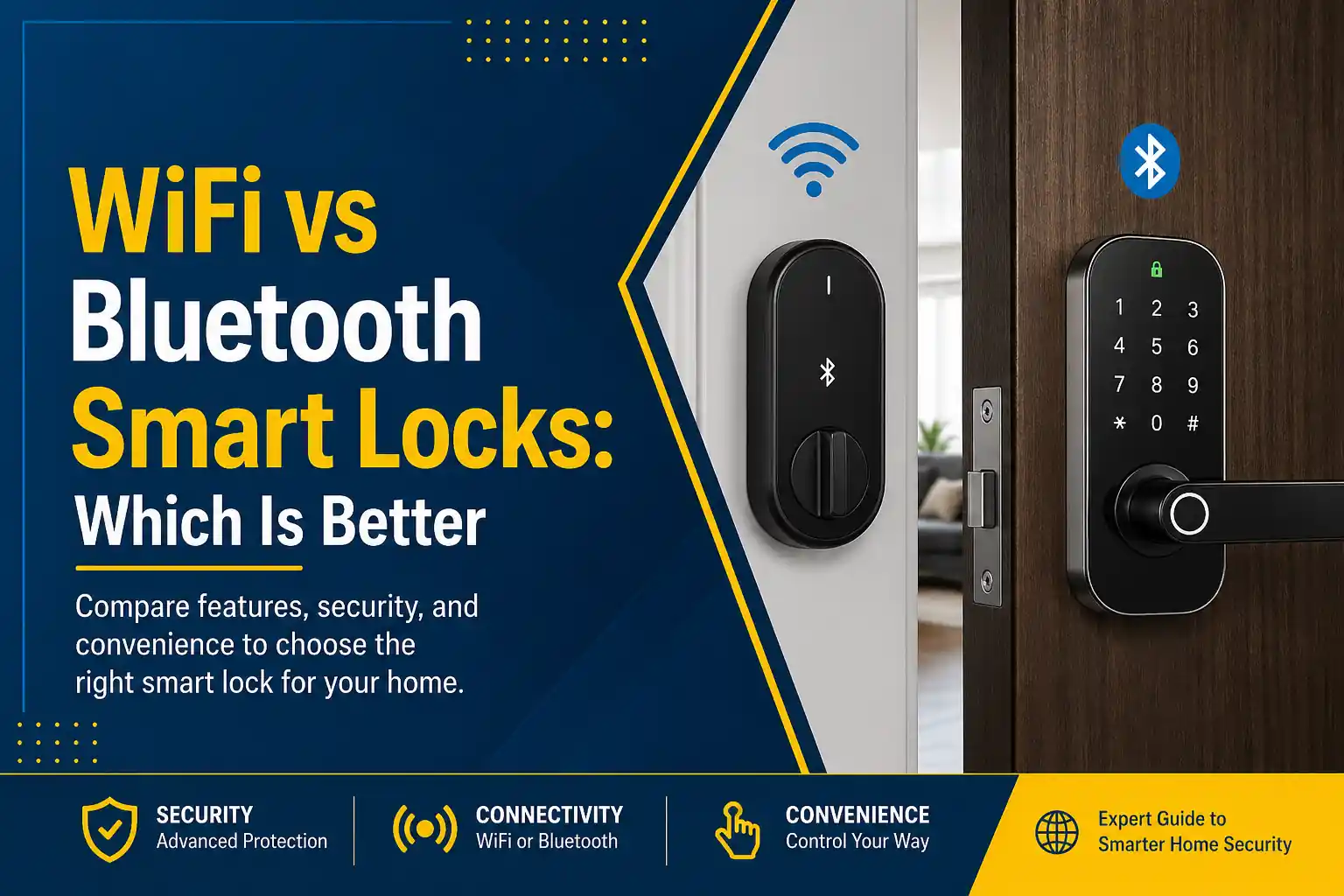

Choosing between WiFi vs Bluetooth smart locks pros cons isn’t just about convenience it directly impacts your home security, reliability, and long-term costs. Many homeowners invest in a smart lock expecting seamless performance, only to face connectivity failures, poor installation, or security gaps.
Understanding how these smart locks work, their connectivity options, and when professional installation is necessary can save you time, money, and frustration. If you’re upgrading your front door, this guide will help you make the right decision—and avoid common mistakes.
What Causes Confusion Between WiFi and Bluetooth Smart Locks?
- Wi fi connectivity vs local access: Many assume all smart locks need internet connection.
- Smart home integration: Wi fi smart locks connect to smart devices like Alexa or Google Home.
- Battery performance differences: WiFi drains power faster than Bluetooth.
- Misleading features: Some locks offer hybrid connectivity, confusing buyers.
For example, products like Yale Assure Locks and Master Lock Vault offer different connectivity setups, making it essential to understand how each system fits your needs.
WiFi vs Bluetooth Smart Locks Pros Cons (Comparison Table)
| Feature | WiFi Smart Locks | Bluetooth Smart Locks |
| Connectivity | Requires internet connection | Works without WiFi |
| Remote Access | Yes, from anywhere | No (limited range) |
| Battery Life | Shorter due to constant connection | Longer battery life |
| Security Risk | Higher (internet exposure) | Lower (local connection) |
| Smart Home Integration | Full integration with smart devices | Limited integration |
| Ease of Setup | More complex | Simpler setup |
| Best Use Case | Remote monitoring & control | Local access and reliability |
DIY Installation Methods (What Most Homeowners Try)
- Installing a bluetooth smart door lock using manufacturer apps
- Connecting wi fi smart locks to home networks
- Mounting locks on existing door hardware
- Programming user codes and permissions
- Syncing locks with smart home systems
DIY guides like install a lock tutorials make it seem straightforward. However, real-world installations often involve alignment issues, door thickness problems, and network setup failures.
Why DIY Smart Lock Installation Often Fails
- Incorrect door alignment: Leads to failed locking mechanisms
- Weak Wi fi signal: Causes delays or disconnections
- Improper calibration: Locks and unlocks inconsistently
- Security misconfigurations: Leaves your door lock vulnerable
- Compatibility issues: Not all locks work with all smart devices
Many homeowners underestimate how critical proper installation is. A poorly installed bt door lock may fail to unlock the door during emergencies or leave your home exposed.
Are There Risks With Smart Lock Technology?
- Network vulnerabilities: WiFi locks can be targeted if not secured
- Battery failure: Can lock you out unexpectedly
- App dependency: System crashes can affect access
According to U.S. Cybersecurity & Infrastructure Security Agency , unsecured internet-connected devices pose serious security risks if not properly configured.
Research from Carnegie Mellon University highlights vulnerabilities in IoT devices, including smart locks, emphasizing the need for professional setup.
Signs You Need Professional Locksmith Service
- Your smart lock disconnects frequently
- The door doesn’t align properly when locking
- You experience delayed locking or unlocking
- Setup fails despite multiple attempts
- You want secure integration with a smart home system
If you’re experiencing these issues, it’s time to consider expert help. Learn more about why locksmiths are often necessary for modern lock systems.
Why Choose a Professional Locksmith for Smart Lock Installation
- Precise installation ensures proper alignment
- Secure configuration of Wi fi connectivity
- Full testing of lock features and performance
- Integration with smart home systems
- Emergency troubleshooting and support
At DFW Affordable Locksmith, we ensure your smart lock with bluetooth or WiFi system is installed correctly the first time—eliminating risks and maximizing performance. Whether you’re upgrading your front door or switching from traditional locks, professional service guarantees reliability.
Explore more expert advice in our security tips and lock maintenance guides.
FAQs: WiFi vs Bluetooth Smart Locks Pros Cons
1. What is better for apartments: WiFi or Bluetooth smart locks?
Bluetooth smart locks are often better for apartments because they work without WiFi and offer reliable local access. However, if you need remote access to manage visitors or deliveries, WiFi smart locks may be more suitable.
2. Can smart locks work without WiFi at all times?
Yes, many smart locks work without WiFi by using Bluetooth technology. These locks allow access when you’re nearby but won’t provide remote control or notifications without an internet connection.
3. Are Bluetooth padlocks reliable for outdoor use?
Bluetooth padlocks are reliable for outdoor use if they are weather-resistant. They provide secure access without internet dependency, making them ideal for gates, storage units, and garages.
4. Do WiFi smart locks drain batteries quickly?
Yes, WiFi smart locks typically consume more battery power because they maintain constant connectivity. Regular battery checks and replacements are necessary to ensure uninterrupted operation.
5. Can I install a smart lock myself?
While DIY installation is possible, it often leads to alignment issues and connectivity problems. Professional installation ensures your lock functions properly and integrates securely with your smart home system.
6. What happens if my smart lock loses internet connection?
If a WiFi smart lock loses internet connection, remote access will stop working. However, most locks still allow manual or Bluetooth-based entry to ensure you can unlock the door locally.
Final Thoughts: Choosing Between WiFi vs Bluetooth Smart Locks Pros Cons
When comparing WiFi vs Bluetooth smart locks pros cons, the right choice depends on your priorities. If you want remote access and full smart home integration, WiFi is ideal. If you prefer reliability and security that work without wi fi, Bluetooth is the better option.
But here’s the reality—your lock is only as good as its installation. Even the best system can fail without proper setup. If you want your door lock to perform flawlessly and securely, professional installation is the smartest investment.
Visit DFW Affordable Locksmith to schedule expert smart lock installation or speak with a technician today. A quick consultation now can prevent serious security issues later.